 Homeboard
Give the tablet in your drawer a job.
Homeboard turns an old iPad, Android or Fire tablet into a family wall calendar: the week's plans, the weather, your photos and the children's chores. It even works on iPads Apple stopped updating.
Free for one wall display. No app to install and no new screen to buy.

It probably works on yours
Homeboard runs in the tablet's web browser, so there is nothing to install from an app store and old tablets aren't left out. Family calendar apps like Cozi now need iOS 17, which leaves a lot of iPads behind. Homeboard needs iOS 12.
iPad, with iOS 12 or later
- iPad Air2013
- iPad mini 22013
- iPad mini 32014
- iPad Air 22014
- iPad mini 42015
- The first iPad Pros2015
- iPad (5th generation) and every iPad since2017
Android and Fire
- Samsung Galaxy Tab and other Android tablets with Android 8 or later
- Amazon Fire tablets from 2018 on
In Chrome or Samsung Internet on Android, and Silk on a Fire tablet.
Too old
- The first iPad2010
- iPad 22011
- iPad (3rd and 4th generation)2012
- The first iPad mini2012
- Android tablets that stop at Android 7
- Fire tablets from before 2018
Their browsers are too old for Homeboard, and can't be updated.
Not sure which you have? The full list, with how to check
What goes on the wall
Start from a ready-made layout, or place every block exactly where you want it. These are real screens with a made-up family.
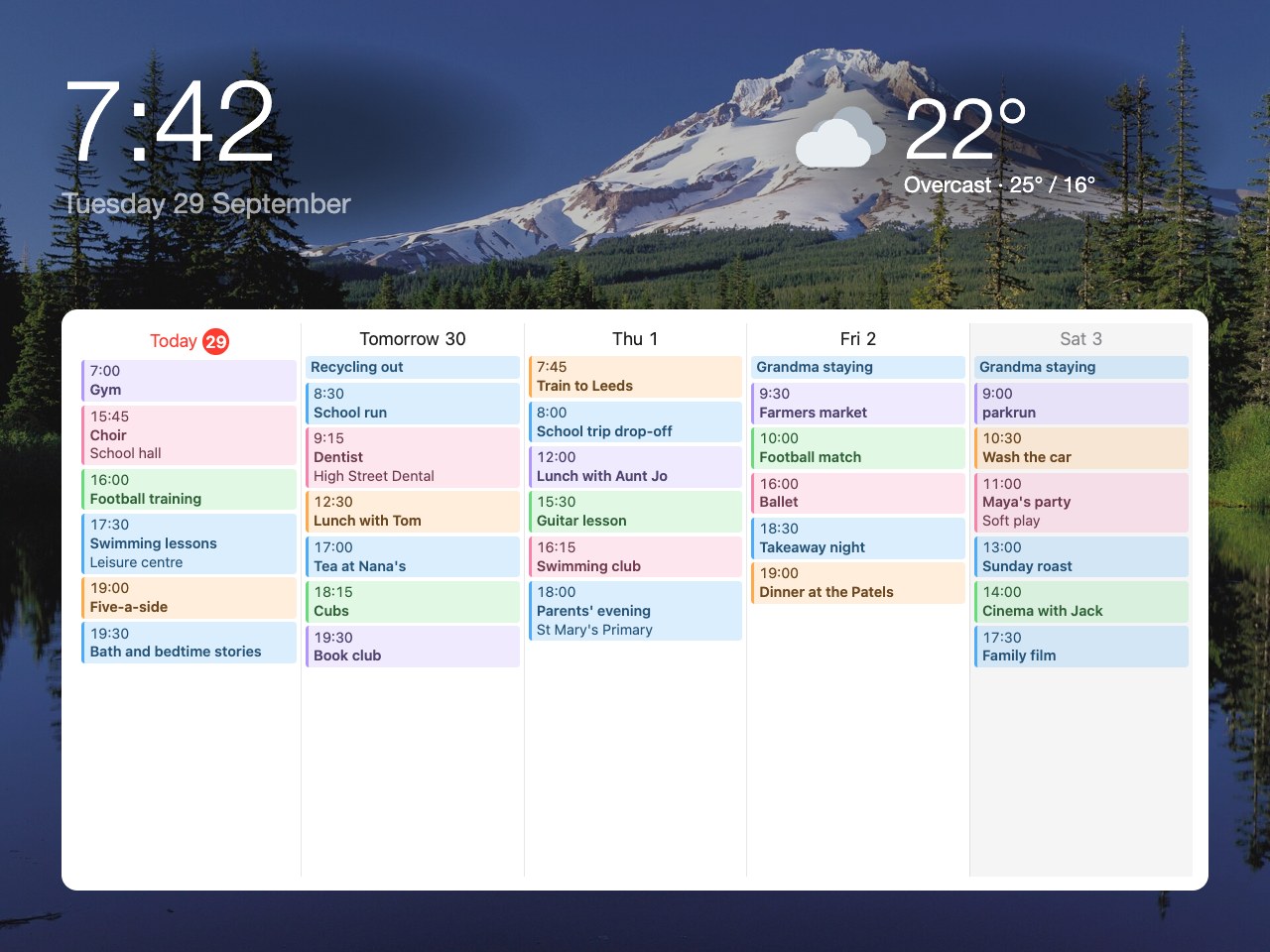
Everyone's calendars in one place, each in their own colour. iCloud, Google and Outlook calendars all work, and so do school and club calendars with a link.
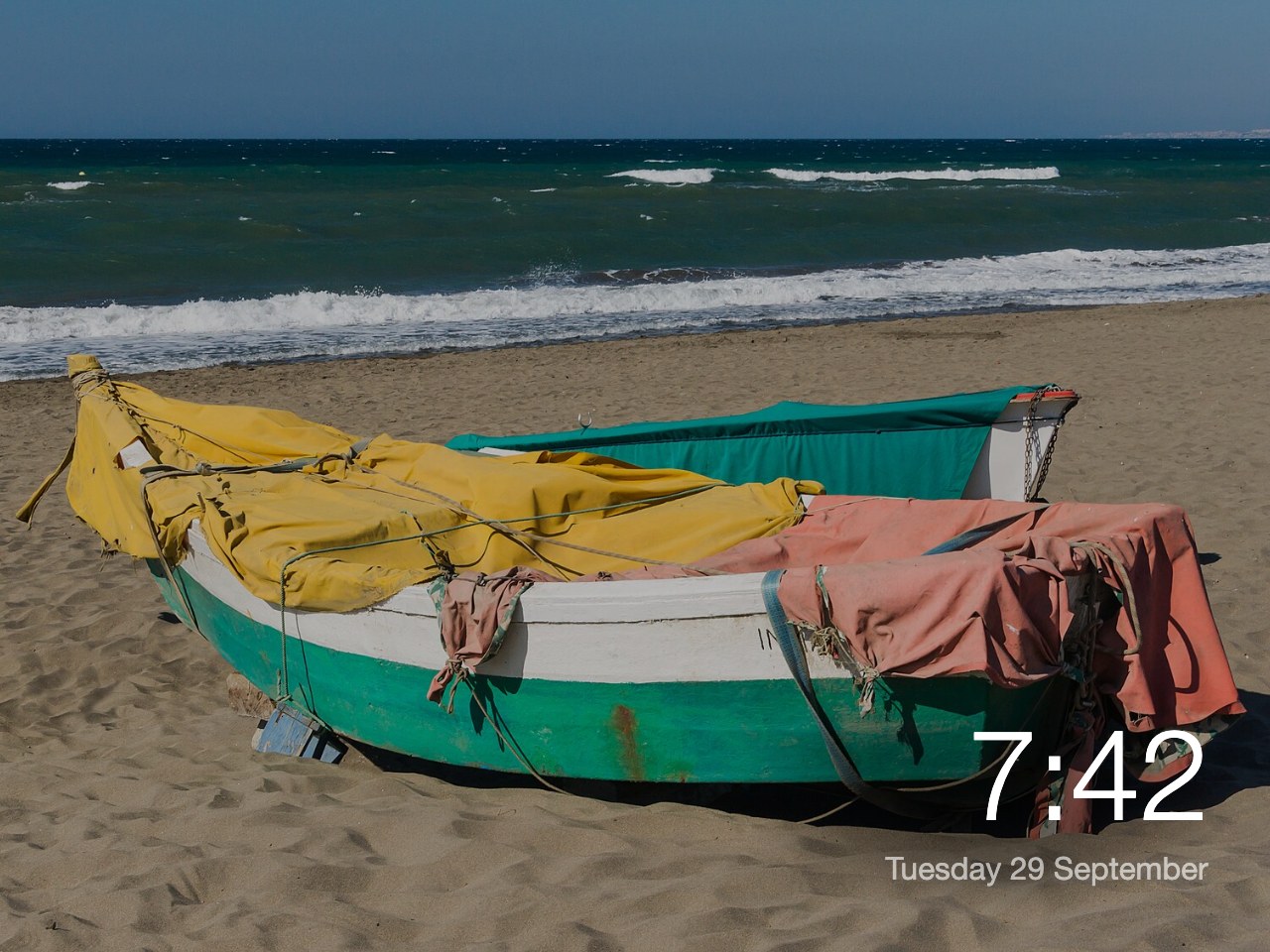
Your own photos, or ready-made sets from mountains to beaches, changing through the day with the time where you want it.
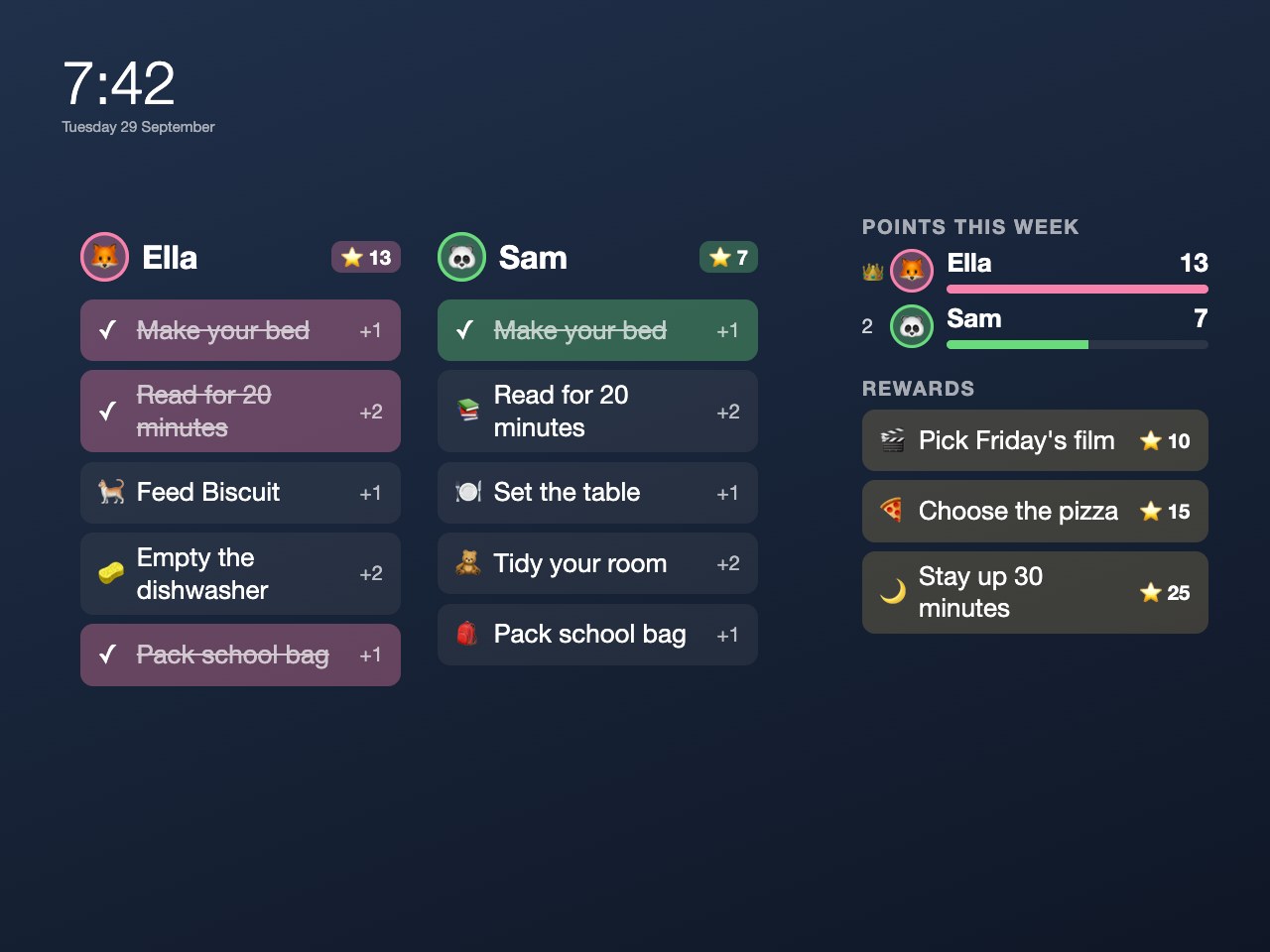
Today's jobs for each child. They tick them off on the wall, collect points and save up for rewards you choose, like picking Friday's film.
Photos in these screens: Mirror Lake, Oregon (public domain) and fishing boats at Rincón de la Victoria by Jebulon (CC0), from Wikimedia Commons.
Setting it up
- Make a free accountOn your phone or computer. Anyone in the family can have their own login to the same home.
- Add your calendarsPaste each calendar's sharing link from iCloud, Google or Outlook. Homeboard shows them; it never changes them.
- Put it on the tabletScan the QR code your phone shows, or type its six-digit code on the tablet. No password to type there. Add it to the home screen so it opens full screen.
- Put it on the wall, plugged inIt keeps the screen on, reloads itself each night, keeps working through Wi-Fi blips, and can dim at bedtime.
Step by step, with calendar links, settings and mounting: the iPad guide and the Android and Fire guide.
One display free, with no time limit
Homeboard is free for one wall display, with no adverts. Plus is £29 once for the whole home, with no subscription, and every new home gets 30 days of Plus to try first. For comparison, a 15-inch Skylight wall calendar costs £290, and its Plus plan is £60 a year on top.
Free
- Every family member's calendar, in their own colour
- The time, the weather and the week ahead
- Picture themes: beaches, mountains, the night sky and more
- News, countdowns and bin days
- A message board on the wall
- Night mode for a bedroom or hallway
- Ready-made layouts, or your own
- A login for everyone in the family
Plus
- Everything in Free
- Every tablet in the house, each with its own layouts
- Your own photos, up to 300
- Chores, points and rewards for the children
- Birthdays, meals and to-do lists
- Notes sent to the wall from your phone
- Extras: smart-home switches, sports fixtures, stocks and more
Every new home has Plus for its first 30 days, with no card. Bought it and it isn't for you? A full refund within 30 days.
Who makes it
I built Homeboard for the old iPad on our own kitchen wall, and it runs there now. It's made and looked after by one person in England, so if something doesn't work, your email comes to me and I'll answer it.
Luca Barton
Questions
Do I need to install an app?
No. Homeboard runs in the tablet's web browser, which is why it still works on older tablets. You add it to the home screen so it opens full screen like an app, and it stays signed in.
Does it work on Samsung, Android and Fire tablets?
Yes: Android tablets from Android 8 on, in Chrome or Samsung Internet, and Amazon Fire tablets from 2018 on, in Silk. Homeboard keeps their screens on while it shows your display, since most can't be set to never sleep. You can mix them: an iPad in the kitchen and a Fire tablet in the hall share the same home.
Which calendars can I show?
Any calendar that gives you a sharing link: iCloud, Google, Outlook, and most school, club and team calendars. Each person's calendar can have their colour. Homeboard reads calendars and never changes them.
Can the children tick off chores on the wall?
Yes. They tap a chore to tick it off and earn points. You can set a parent PIN so only a grown-up can untick things or hand out rewards.
Is it safe to leave an old tablet plugged in all the time?
An old battery kept full for years can swell. Samsung tablets can stop charging at 80 to 85% (Protect battery, in Settings). For other tablets, a cheap smart plug that charges for a few hours a day helps, and it is worth checking the back of the tablet now and then. The guides have more on this.
What happens after the 30-day trial?
Your home moves to the free plan: one wall display and the everyday blocks, for good. Nothing is deleted: Plus blocks show a short note, and photos you added stay. You can buy Plus from the Account page whenever you like.
Who can see our family's information?
The people in your home. Homeboard has no adverts or tracking and never sells or shares your data. The privacy page says exactly what is kept.
How do I get help?
Email hello@homeboard.uk and a person will answer within two working days. The guides for iPads and Android and Fire tablets cover setting up step by step.
Give the tablet in your drawer a job.
Free for one wall display. Set up in a few minutes on your phone, then scan a code on the tablet.